6 Best AI Image Generators of 2026 (For Every Need)
So, which AI image generator is the best? Honestly, it all comes down to what you need it for. For all-around performance and realistic visuals, Google’s Imagen 3 is my top pick. If you’re a beginner who just needs something that works, Canva’s Magic Media is perfect. Professionals who need commercially safe images should stick with Adobe Firefly, while Midjourney is the undisputed king of creative and artistic styles.
We’ve all been there. You have a brilliant idea for a blog post header, a social media graphic, or concept art for a project. The problem? You don’t have the design skills, the budget for a graphic designer, or the time to sift through endless stock photo libraries. You need a high-quality, specific visual, and you need it now. And that’s where AI image generators save the day, turning your text descriptions into unique visuals in seconds.
But let’s be real, the number of options out there is overwhelming. They all differ in quality, cost, ease of use, and a big one: the legal rights to the images you create. I’ve spent countless hours in the trenches with these platforms for various projects, and I’ve figured out what separates a fun toy from a genuine professional tool.
What Should You Look for in an AI Image Generator?
Before we jump into specific platforms, let’s talk about what actually matters. Not every generator is built the same, and the best choice for a social media manager is totally different than for a game developer. In my experience, the decision usually boils down to four key factors.
- Image Quality and Realism: How well does the platform understand your prompts? Can it produce high-resolution, detailed visuals that look professional? Some models are better at photorealism, while others excel at artistic styles like anime or digital painting.
- Ease of Use: Do you need a simple interface where you just type and generate, or are you comfortable with advanced settings and community platforms like Discord? A beginner-friendly option like Canva prioritizes simplicity, whereas Stable Diffusion offers deep customization for those willing to learn.
- Cost and Pricing Model: Many services offer a free trial or a handful of free credits. Beyond that, you’ll typically find subscription plans or credit-based systems. Think about it: how many images will you actually generate per month? Answering that helps you find the most cost-effective option.
- Commercial Use Rights: This is a big one. One mistake I keep seeing is people using images from any generator for their business. If you plan to use the visuals for marketing, products, or any commercial purpose, you must choose a tool that grants you the appropriate rights, since not all of them do. Adobe Firefly, for instance, is trained on licensed content and is explicitly designed for safe commercial use.
Best Overall: Google’s Imagen 3
When it comes to the best all-around performer, I have to give it to Google’s Imagen 3. It’s especially good at creating realistic, coherent images. It excels at understanding complex, detailed prompts and maintaining character consistency across multiple generations. For example, if you ask for ‘a golden retriever wearing a blue bandana, sitting in a field of sunflowers, impressionist style,’ Imagen 3 is more likely to get every single one of those details right than its competitors.
What really sets it apart, though, is its photorealism and a surprising ability to generate legible text within images. That’s a huge deal, because most other models completely fail at this. I’ve tested it for creating simple infographics and social media posts with text overlays, and while you still need to double-check any facts it might generate, the text itself is often crisp and readable. You can learn more about its capabilities in this guide to Google Imagen 3. The only real downside? Generation can be a bit slow. Still, the quality is almost always worth the extra few seconds.
Generative models are trained to find statistical patterns in data. They aren’t retrieving facts, so they can make things up. This is why generated text should always be fact-checked. — Google AI Documentation
Best for Beginners: Canva’s Magic Media
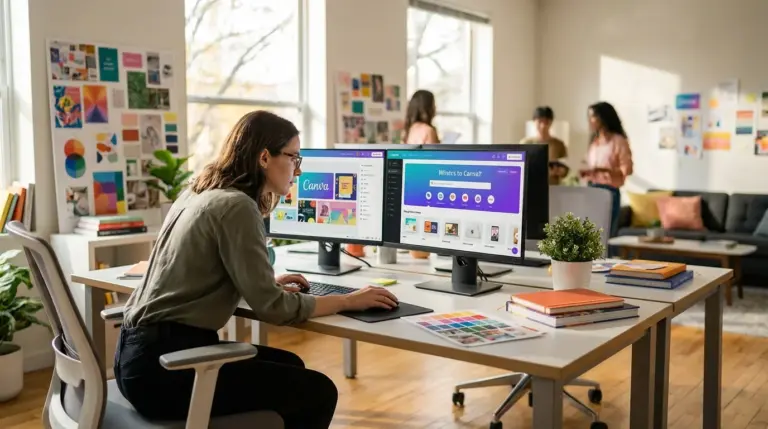
New to AI image generation? Start with Canva’s Magic Media. Seriously. If you’ve ever used Canva for a presentation or social media graphic, its AI tool will feel like second nature. It’s built directly into the Canva workflow, so you can generate an image and immediately drop it into your design without leaving the platform.
The interface is super clean. You just type what you want, pick a style like ‘Photo,’ ‘Vibrant,’ or ‘Anime,’ and hit generate. No complex settings to get you bogged down. Plus, Canva’s privacy policy is a major benefit; they don’t train their AI models on your content, and the images you generate are private. The free plan gives you some lifetime credits to play with, which is perfect for occasional use. If you get hooked and start generating images all the time, though, you’ll probably need to upgrade to a Pro subscription.
Best for Professionals: Adobe Firefly
For professional designers, marketers, or anyone in a corporate setting, Adobe Firefly is the only real answer. Why? One huge reason: it’s commercially safe. The AI model was trained exclusively on Adobe Stock’s library of licensed images and public domain content, which means you can use the images you create in your commercial projects without looking over your shoulder for copyright claims. According to Adobe’s official page, this training approach ensures that Firefly doesn’t generate content based on other people’s work or brands.
Firefly is integrated directly into the Adobe Creative Cloud ecosystem, including Photoshop and Illustrator. This allows for an incredibly efficient workflow. Imagine you have a product shot but need to remove a distracting element in the background. With Photoshop’s ‘Generative Fill’ (powered by Firefly), you can just select the object and poof—it’s gone, replaced ly. That’s the kind of workflow integration we’re talking about. While it sometimes struggles to produce the hyper-realistic images that Imagen 3 can, its focus on commercial safety makes it an indispensable resource for professionals.
Best for Creatives & Artists: Midjourney
When it comes to pure artistic and creative firepower, nothing beats Midjourney. While other platforms chase realism, Midjourney’s secret sauce is its ability to interpret prompts with an artistic flair, producing stunning, imaginative, and often beautiful images. I’ve tested dozens of prompts across all platforms, and Midjourney consistently delivers the most visually interesting results, making it perfect for concept art, storyboarding, and unique digital art.
It operates primarily through a Discord server, which is both a blessing and a curse. You get a vibrant community sharing prompts and ideas, but I’ll admit, the interface can be a little intimidating if you’re not used to Discord. You can explore a deep comparison on Midjourney vs Stable Diffusion. It’s also important to note that on most plans, your generated images are public by default. You need a more expensive plan for ‘stealth mode’ to keep your work private.
Consider this real-world scenario: a small indie game studio needed concept art for a new fantasy world. Instead of hiring an artist for thousands of dollars, they used Midjourney. By experimenting with different prompts and AI art styles, they generated over 200 distinct character designs and environment concepts in under a week. This rapid ideation allowed them to build a compelling visual prototype for their pitch, saving an estimated $10,000 in initial creative costs and accelerating their project timeline by two months.
Best for Tinkerers: Stable Diffusion
If you’re the type of person who loves to tinker and wants maximum control, Stable Diffusion is for you. Since it’s an open-source model, you’re not locked into a single platform. You can run it on your own computer (if you have a powerful enough GPU), use it through web services like Stability AI’s DreamStudio, or find it integrated into countless third-party apps. This flexibility is its greatest strength and its biggest hurdle.
I’ll be honest: getting Stable Diffusion running locally can be a headache, but the control you gain is unmatched. You can train the model on your own images, fine-tune thousands of parameters, and use a vast ecosystem of community-built extensions to achieve virtually any style imaginable. But if you don’t want that technical headache, you can use platforms like DreamStudio, which offer a much friendlier interface with extensive editing tools, like in-painting and out-painting. The open-source nature means you have to be more diligent about checking the licenses of specific models you use, but for the dedicated enthusiast, no other resource offers this level of freedom.
So, what’s the final verdict? There isn’t one. The ‘best’ AI image generator truly isn’t a one-size-fits-all answer; it’s about matching the platform to your specific task. Your choice really hinges on what you value most: ease of use, creative style, photorealism, or commercial safety. Honestly, the best way to figure it out is to just jump in and experiment. Pick the tool from this list that most closely aligns with your needs and start with their free trial. If you’re still undecided, using an interactive AI Tool Finder can provide a personalized recommendation based on your project requirements.
For source-backed context and deeper verification, review these references: developers.google.com.
FAQ
Can I use AI-generated images for commercial projects?
It really depends on the generator’s terms. Some tools like Adobe Firefly are built for commercial use because they’re trained on licensed content. Always, always check the usage rights before using an image for your business.
Do I need to be an artist to use these tools?
Not at all. You don’t need any artistic skill. These generators work by understanding your text descriptions (prompts). The real skill is learning to write clear, descriptive prompts to get the image you have in your head.
What is a ‘prompt’ in AI image generation?
A prompt is simply the text command you give the AI. A great prompt is often detailed, spelling out the subject, setting, style, lighting, and even the camera angle you want.
How much do AI image generators cost?
The cost is all over the place. Most offer a free trial or a few free credits to get you started. After that, paid plans usually start around $10-$20 a month, either as a subscription or a pay-as-you-go credit system.