Scale Content with AI Image Generation: 5 Steps & Tool Guide 2026
AI image creation for business growth means leveraging platforms like DALL-E 3, Midjourney, or Stable Diffusion to produce marketing visuals, product mockups, and branded graphics. You can do this at a fraction of the time and cost compared to traditional design methods. Imagine a lean team of two generating dozens of on-brand visuals daily. The practical outcome? Content velocity that would otherwise demand a full creative department.
Your design staff faces a backlog. Perhaps your social calendar needs 30 posts this month, your email campaign requires five banner variations, and the product launch landing page still lacks hero visuals. You’ve got two designers and three days. That gap – between what your content operation truly demands and what a human team can realistically deliver – is precisely where AI image generation shifts from a novelty to essential operational infrastructure.
The real challenge isn’t finding an AI visual tool; there are dozens. Instead, it’s knowing which solution aligns with your specific scaling requirement. For instance, choosing Midjourney when you need API access, or DALL-E 3 when you require maximum artistic flexibility without usage caps, can easily lead to weeks of wasted effort. This guide provides the framework to make that critical call correctly.
How AI Image Generation Scales Content Creation for Businesses
Simply put, AI image creation eliminates the bottleneck between content strategy and content output. It does this by removing the per-visual labor cost that typically caps production volume.
Consider a traditional process for a single product banner: it involves a brief, a designer, several revision rounds, and final approval. That adds up to hours per asset. An AI-assisted process, however, compresses that significantly. You write a prompt, generate four variations, pick one, apply your brand overlay, and you’re done. For businesses running marketing automation workflows, where content volume expands with audience segmentation, that compression makes the difference between running five campaigns and fifty.
The scaling advantage isn’t just about speed. It also boosts iteration speed – meaning you can test various visual directions before committing to a full photo shoot or design sprint. Picture a startup launching a new product line: they can generate concept visuals in hours, run A/B tests on landing page imagery, then brief a photographer only for the winning direction. This approach cuts down on wasted production budget, not merely time.
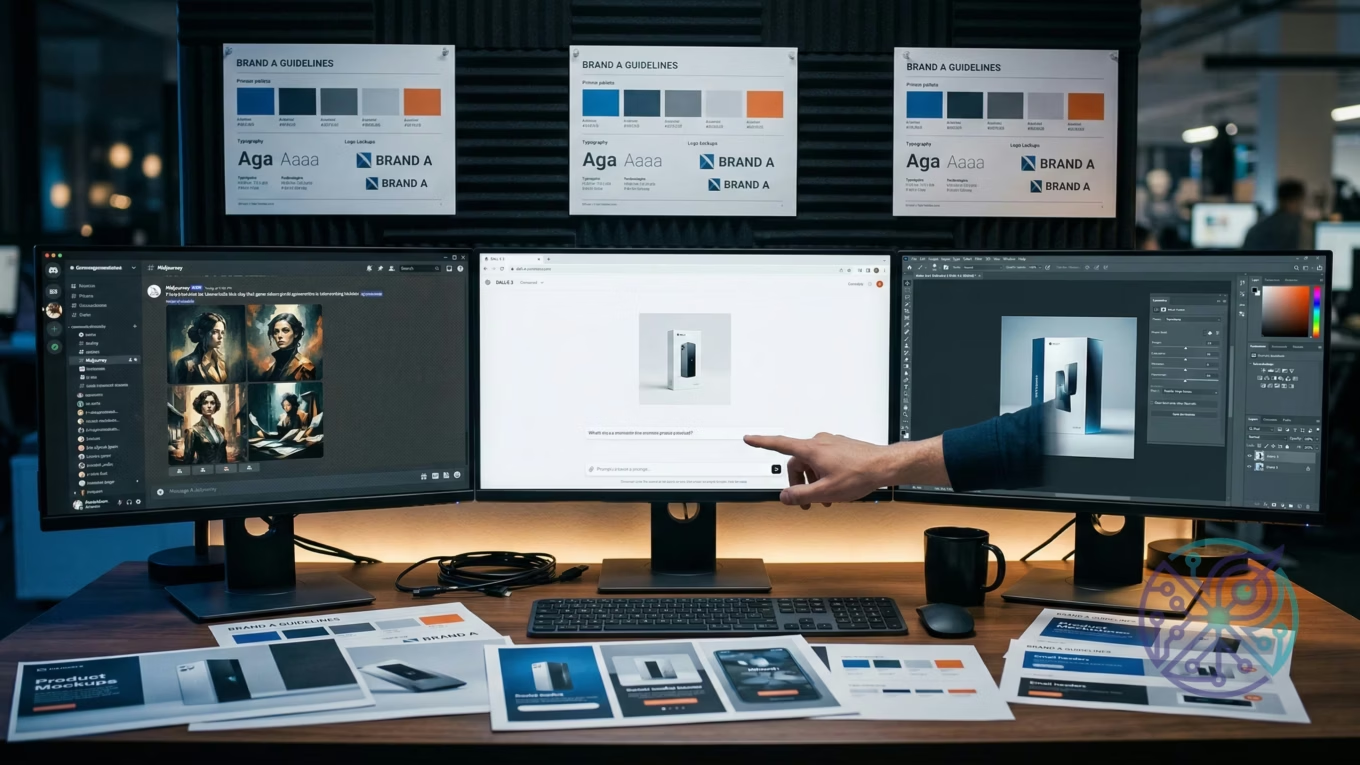
Brand consistency at scale, however, is where things get tricky. Most general guides often skip this area. Raw AI output doesn’t inherently respect your brand guidelines. You’ll need a deliberate layer of process, such as style-locked prompts, post-processing templates, or fine-tuned models, to maintain visual coherence across high-volume production. This crucial layer exists in some platforms but not others, which explains why selecting the right tool matters just as much as the underlying technology.
What Specific Tasks Can AI Image Generators Automate in a Business?
The most valuable automation targets are high-frequency, template-repeatable tasks. Think social graphics, ad variations, product backgrounds, and email banners.
Breaking it down by department, marketing teams gain the most direct value from automating social media graphics. A campaign targeting three audience segments across four platforms, for instance, requires twelve visual variants per post. With manual design, that’s a major project. But with a well-structured prompt template and an API call, it becomes a simple script. The OpenAI Image API documentation details how to structure these requests programmatically, including size parameters, style controls, and batch handling – providing the technical foundation for any marketing automation integration.
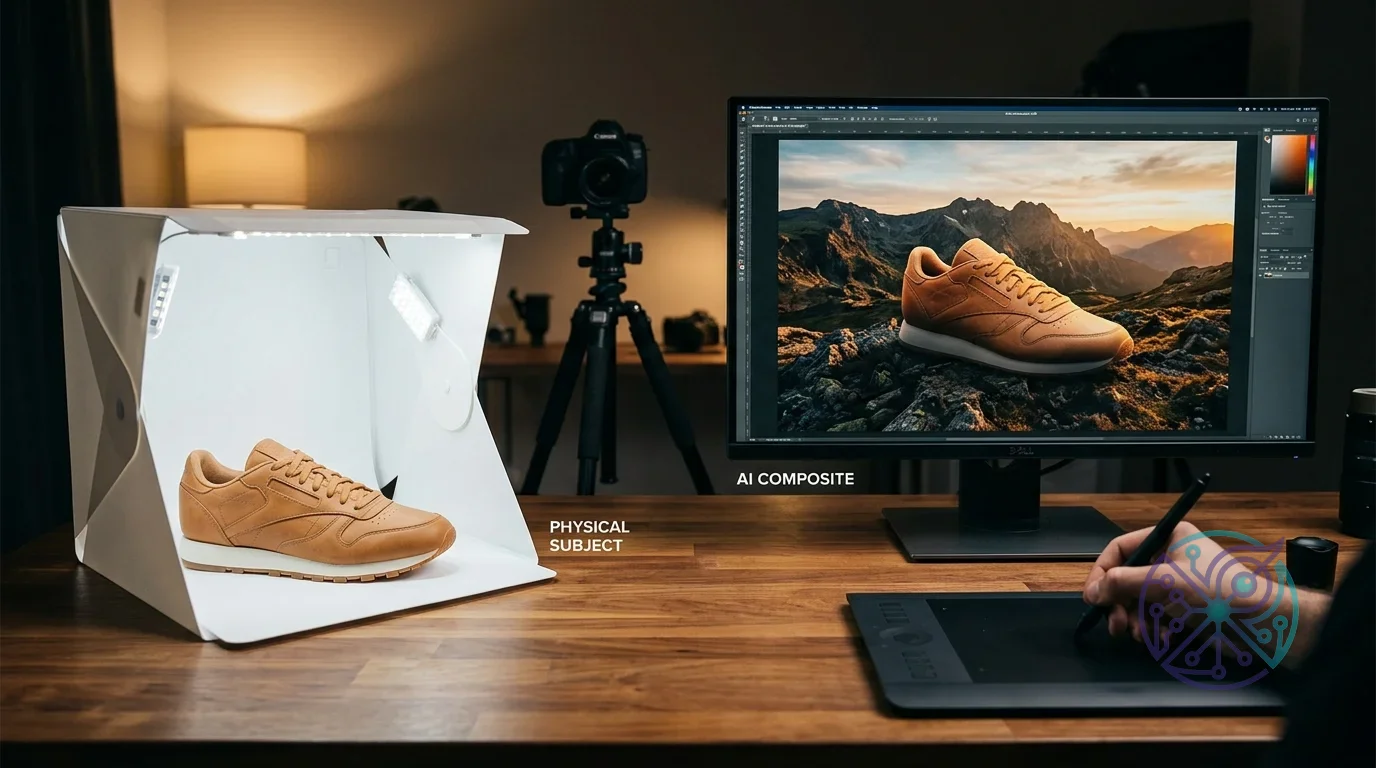
E-commerce operations have a distinct primary use case: product visualization. Generating lifestyle images that show a product in context (on a kitchen counter, on a person, in an office setting) traditionally demanded physical sets or expensive CGI. AI creation reduces that to a prompt with the product as a reference image. While the output isn’t always production-ready at first attempt, as a rapid prototyping and concepting layer, it slashes the time from “idea” to “testable asset” from weeks to mere hours. You can then learn more about visual output quality in the context of AI image upscaling for e-commerce to understand the post-processing layer that makes AI-generated product images commercially viable.
- Social media graphics: campaign banners, story backgrounds, post templates – all created from a prompt with brand color and font overlaid in post-production.
- Ad creative variations: A/B test diverse visual directions without a design bottleneck.
- Email headers: campaign-specific visuals matched to subject line themes.
- Product mockups: visualize new SKUs or colorways before physical samples even exist.
- Blog and content illustrations: replace generic stock photos with concept-specific visuals.
- Presentation backgrounds: generate on-brand slide visuals for sales decks and investor materials.
One often-overlooked application is internal documentation and training materials. Teams producing onboarding decks, process maps, or HR communications can generate illustrative visuals that match their brand style without pulling a designer off revenue-generating work. The quality bar for internal materials is generally lower, which makes AI creation especially cost-effective in this area.
How to Integrate AI Image Generation into Existing Marketing Workflows?
Start with one high-frequency, template-repeatable task. Build a prompt library. Then, connect to your CMS or automation layer once the output quality proves reliable. The integration sequence that minimizes rework goes like this:
- Audit your current visual requests – pinpoint which task types are highest volume and most template-repeatable (social graphics, email banners, ad variants).
- Build a prompt template library – document prompts that consistently produce on-brand output, including style references, color language, and composition instructions.
- Add a brand overlay layer – use a solution like Adobe Express or a custom script to apply your logo, typography, and color palette to raw AI output.
- Connect to your content calendar – once prompt templates are stable, trigger visual creation from your project management or CMS workflow.
- Establish a review gate – AI output still demands human sign-off before publication; build this into the process explicitly, not as an afterthought.
Prompt engineering is the core skill determining whether this process yields consistent results or inconsistent garbage. For business use, the most dependable prompt structure follows this pattern: [Subject] + [Context/Setting] + [Style Reference] + [Technical Specs] + [Brand Constraints]. A prompt for a fintech marketing banner, for example, might read: “Professional woman reviewing financial data on laptop, modern home office, clean corporate photography style, natural light, no text, 16:9 aspect ratio, muted blue and white palette.” That level of specificity is what separates repeatable, brand-consistent output from random generation.
For teams already running broader AI-assisted processes – like content drafting, email personalization, or SEO optimization – integrating visual creation follows the same organizational pattern described in guides on marketing automation software: identify the repeatable step, build the template, connect to your stack, and measure output quality. The image creation layer slots into an existing automation mindset rather than requiring a separate implementation track.
A key principle for success is ensuring the visual creation layer is downstream of your content strategy, not parallel to it. The brief should drive the prompt, the prompt drives the visual, and the visual drives the test. This approach, documented across multiple enterprise AI integration guides, prevents generating graphics that are disconnected from campaign goals.
Best AI Image Generation Tools for Workplace Use
The right platform for your business truly depends on your priorities. Do you value API access, image quality, brand control, or cost above all else? Each solution optimizes for a different combination.
Here’s a direct comparison of the four platforms most commonly deployed in business content pipelines:
| Tool | Best For | Integration | Brand Control | Starting Cost | Skip If |
|---|---|---|---|---|---|
| DALL-E 3 | API-driven workflows, ChatGPT integration | OpenAI API, Azure | Moderate (prompt-dependent) | Pay-per-image via API | You need stylistic consistency without prompt engineering |
| Midjourney | High-quality artistic and editorial images | Discord (no public API) | Low (style anchoring via –sref) | $10/month (Basic) | You need programmatic batch generation |
| Stable Diffusion | Custom fine-tuning, on-premise deployment | Self-hosted or API | High (fine-tune on brand assets) | Free (self-hosted) | You lack technical capacity to manage infrastructure |
| Adobe Firefly | Teams already in Creative Cloud | Photoshop, Express | High (styles, reference images) | Included in CC plans | You’re outside the Adobe ecosystem |
DALL-E 3 stands out as the pragmatic choice for most businesses getting started. Why? Because it requires no infrastructure and connects directly to existing OpenAI accounts or enterprise Azure deployments. According to Microsoft’s Azure OpenAI Service documentation, DALL-E 3 is available through Azure with enterprise-grade security, compliance controls, and private network options – a crucial point for regulated industries that cannot use consumer-grade platforms. For teams already standardized on Microsoft or OpenAI tooling, that integration path offers the lowest friction.
Midjourney, on the other hand, produces the most visually striking output for editorial and lifestyle material. However, its Discord-only interface creates a hard ceiling on automation. If your process involves programmatic visual creation – where a CMS or marketing platform triggers asset generation based on content data – Midjourney simply won’t fit. You’d need DALL-E 3 or Stable Diffusion for that kind of architecture.
Stable Diffusion’s commercial case is quite specific: it’s for teams with technical resources who need full brand fine-tuning and want to avoid per-visual API costs at scale. You can train a model on your existing visual library and generate unlimited on-brand assets. The operational cost then shifts from API fees to infrastructure and engineering time. For high-volume e-commerce operations creating thousands of product variant visuals, that math often favors Stable Diffusion.
Adobe Firefly is a strong contender for teams already embedded in the Creative Cloud ecosystem. It offers robust brand control and integrates ly with Photoshop and Express, making it a natural extension for existing design teams. Plus, its commercially safe training data provides a significant advantage for risk-averse organizations.
Addressing Brand Consistency at Scale with AI Images
This is where most guides fall short, and where many businesses encounter their first serious hurdle. Generating a hundred visuals is easy; generating a hundred visuals that all look like they originated from the same brand is a completely different problem. Ultimately, volume without consistency creates noise, not compelling content.
The platforms that best handle brand consistency are Adobe Firefly (via style references and Creative Cloud integration with your existing brand assets) and fine-tuned Stable Diffusion models (where you train the model on your own visual library). DALL-E 3 and Midjourney depend more heavily on prompt discipline. You can anchor style through consistent prompt language and reference visuals, but it demands more ongoing management.
- Style anchoring: Midjourney’s parameter lets you reference an existing visual as a style guide, nudging the model toward your established visual language.
- System prompts via API: DALL-E 3’s API supports a system prompt that persists across all creations in a session, allowing you to embed brand constraints just once.
- Post-processing templates: Regardless of the creation platform, applying a consistent design template (logo placement, typography, color grading) in post-production offers the most reliable consistency layer.
- Negative prompts: Stable Diffusion allows explicit exclusion parameters – incredibly useful for preventing off-brand elements like cartoonish styles, watermarks, or competitor visual cues.
Here’s the honest trade-off: none of these solutions offer the same automatic consistency as a trained human designer who has internalized your brand guidelines. While the gap shrinks considerably with Stable Diffusion fine-tuning or Firefly’s reference tools, it never fully closes. That’s not a reason to avoid AI visual creation; it’s a reason to build a human review step into every process and to be selective about which output types go directly to publication versus which need a final design pass.
Ethical Considerations and Best Practices for AI-Generated Images
Commercial use of AI-generated visuals carries real legal and ethical exposure, particularly concerning copyright, consent, and disclosure. Plus, the rules are still evolving across jurisdictions, which adds another layer of complexity.
Copyright is the most immediate legal question. The current stance in the United States (as of 2026) is that AI-generated images lacking “sufficient human authorship” cannot be registered as copyrights. This means visuals you create via a prompt – where your creative contribution is limited to text instruction – may not be protected intellectual property. Competitors could, in theory, use the same generated visual if they reverse-engineer your prompt. For brand-critical graphics, this presents a genuine exposure that warrants either legal review or a policy of using AI for concepting and human-created finals for hero assets.
Training data transparency is a separate, significant concern. Platforms like Midjourney and DALL-E 3 were trained on web-scraped visual datasets that include copyrighted works. Legal challenges to this practice are ongoing in multiple jurisdictions. Using outputs from these solutions for commercial purposes carries residual legal risk, a risk that the fine-tuned Stable Diffusion approach (trained on licensed or owned images) helps mitigate. Adobe Firefly, notably, is specifically trained on licensed Adobe Stock content and public domain visuals, which is why it’s marketed as “commercially safe” – a meaningful differentiator for risk-averse businesses.
- Disclosure: Some platforms and jurisdictions require disclosure when published visuals are AI-generated. Always check the requirements for your specific market and ad platforms.
- Representation: AI models have documented biases in how they represent people by age, race, and gender. Review all generated imagery for representation patterns before publishing at scale.
- Deepfakes and misuse: Never generate visuals of real, identifiable people without explicit consent. Most terms of service prohibit this, and legal liability is significant.
- Environmental cost: Large-scale visual creation has non-trivial computational energy requirements. This is increasingly a factor in ESG reporting for larger organizations.
“Images make up on average 50% of a web page’s total weight.”
— HTTP Archive Web Almanac
Best practice for businesses building long-term AI visual processes: treat AI-generated content as a separate asset class in your DAM (digital asset management) system, tag it as AI-generated, and apply a review policy that catches representation issues before they become PR problems. This isn’t bureaucratic overhead; it’s the kind of operational clarity that distinguishes teams using AI intentionally from those using it reactively.
If you’re navigating broader questions about AI transparency and authenticity – for instance, how AI systems handle creative and cognitive tasks – the underlying concepts around machine decision-making covered in AI thinking vs. imitation frameworks provide useful grounding for how to evaluate the outputs you’re integrating into your brand.
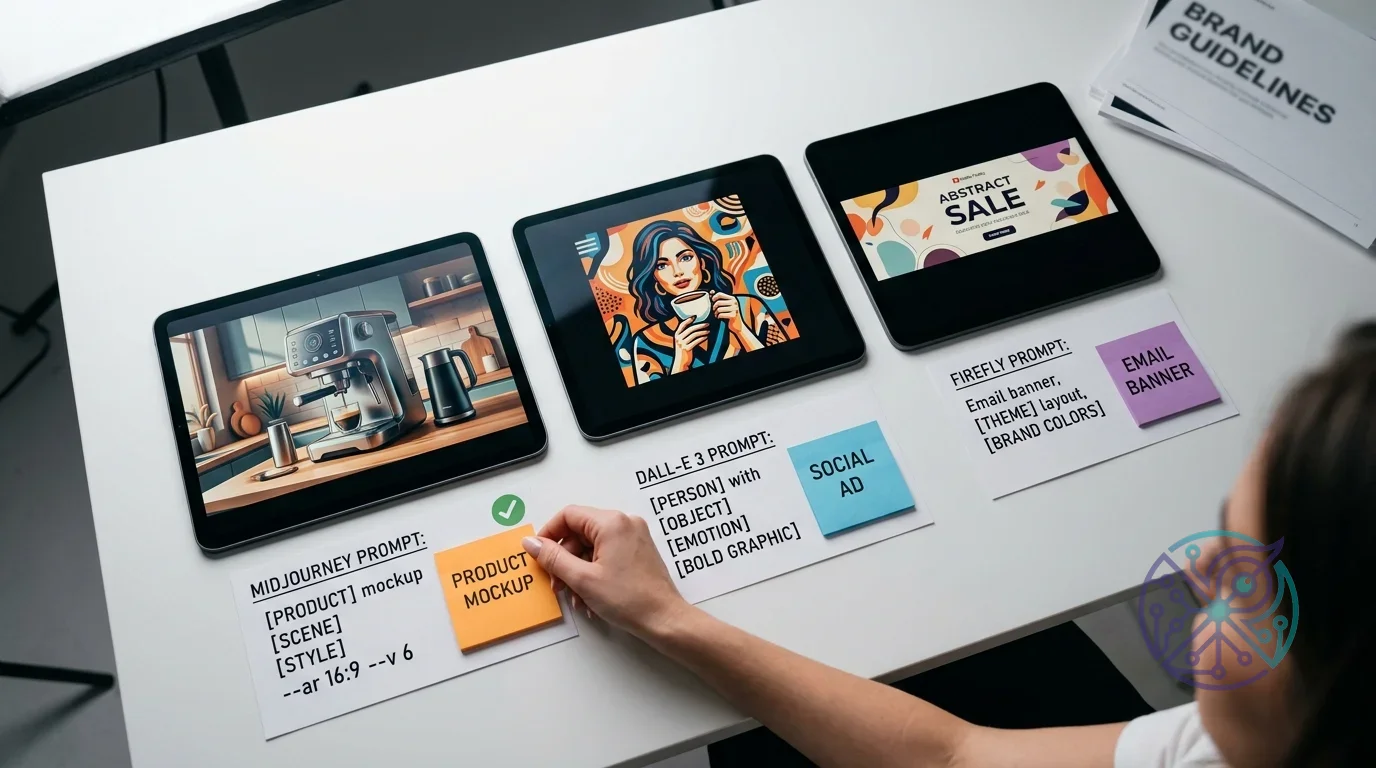
Choosing the Right AI Image Generation Tool for Your Business
The decision ultimately boils down to three key variables: your required volume, your technical capacity, and your brand consistency demands. Here’s an explicit framework to guide your choice.
Opt for DALL-E 3 if: you’re scaling quickly, your team is non-technical, you need API integration with your existing OpenAI or Microsoft stack, and you can manage brand consistency through prompt templates. It’s truly the lowest-friction starting point for most businesses in a growth stage.
Choose Midjourney if: you prioritize exceptional visual quality over automation, your volume is moderate (hundreds per month, not thousands), and your use case leans toward editorial or brand storytelling rather than product or ad creation. Be aware, though, it simply doesn’t fit high-automation processes.
Select Stable Diffusion if: you possess engineering capacity, you require maximum brand control through fine-tuning, you’re generating at very high volume where API costs become prohibitive, or you have data privacy requirements that prevent sending assets to third-party APIs. Skip this option if you lack DevOps capacity – the operational burden is substantial.
Go with Adobe Firefly if: your team already uses Creative Cloud, you need the strongest commercially safe position on copyright, and your workflow benefits from tight integration with Photoshop and Illustrator. This is often the ideal choice for regulated industries and brand teams with formal legal review processes.
If you’re still unsure which category best fits your situation, an AI tool finder quiz can help you narrow down the right fit based on your specific use case, team size, and technical constraints.
The operational pattern that works across all platforms is consistent: start with one task type, build your prompt library, measure output quality over 30 days, then expand to the next use case. Teams that attempt to deploy AI visual creation across all content types simultaneously often end up with an inconsistent mess. A sequential rollout, tackling one task at a time, reliably produces durable results.
Choosing the right AI image generation solution isn’t about finding the “best” one universally, but rather the one that perfectly aligns with your specific scaling needs. By evaluating platforms based on your required volume, technical capacity, and brand consistency demands, you can effectively avoid costly rework. The most effective path forward involves starting with a single, high-frequency task, building a library of reliable prompts, and then methodically expanding AI integration across your content workflows. This measured approach transforms a powerful technology into a sustainable operational advantage for your business.
FAQ
Is AI-generated imagery legal to use in commercial advertising?
It depends on the platform and your jurisdiction. Adobe Firefly, built on licensed content, is generally considered commercially safe. DALL-E 3 and Midjourney outputs are typically legal for commercial use under their terms, but copyright protection for the generated visuals is limited or nonexistent in the US as of 2026. For high-stakes campaigns, consult a lawyer familiar with AI and IP law in your region.
How do you maintain brand consistency with AI image generation at scale?
The most reliable approach is layered: use consistent, detailed prompt templates to anchor style, then apply a post-processing design template (brand colors, logo, typography) to every output. For maximum consistency, fine-tune a Stable Diffusion model on your own visual library. No solution is fully automatic about brand consistency; a human review step remains necessary.
Can small businesses with no design team use AI image generation effectively?
Yes, but the ceiling is lower than for teams with design capacity. DALL-E 3 via ChatGPT and Adobe Firefly via Adobe Express are the most accessible starting points, as both require no technical setup. The limitation is that raw AI output often needs minor adjustments for brand alignment, which requires at least basic image editing skills. Start with social media graphics and email headers, where tolerance for minor imperfections is higher.
What’s the difference between using AI images for social media versus for paid ads?
Ad platforms (Meta, Google) have their own policies on AI-generated content in ads, and some require disclosure. Social media organic posts generally face fewer restrictions. For paid ads, always check the platform’s current AI content policy before deploying at scale – these policies are updating frequently in 2026. The content itself doesn’t perform differently because it’s AI-generated, but compliance requirements differ.
How much can AI image generation realistically reduce content production costs?
For high-frequency, template-repeatable assets like social graphics and email banners, the reduction in per-asset cost is substantial, primarily because you eliminate designer hours for routine production work. The realistic expectation is that AI handles volume production while human designers focus on brand-defining hero assets and strategic creative work. Actual savings depend on your current team structure and volume.